PRACTICAL 2D DRAWING OUTPUTS
CAD Drafting Services in Boca Raton, FL
Need CAD drafting in Boca Raton? We prepare organized 2D DWG drawings, including floor plans and elevations, from agreed measurements, scan data, and other project information.
IMAGE SLOT — REPLACE THIS GROUP WITH A WORDPRESS IMAGE BLOCK
Annotated AutoCAD drawing of a measured floor plan
Use a licensed drawing sample with readable but non-confidential details.
THE SERVICE
From measurements or scans to usable CAD drawings
CAD drafting can use hand measurements, legacy drawings, design information or a registered laser-scan point cloud to prepare plans, sections, elevations and other 2D geometry. The deliverable may be a native DWG file, a plotted PDF or both.
A good CAD package should have predictable units, drawing scales, appropriate layers and annotations relevant to its purpose. If the source data is incomplete, the drawing should not silently invent missing dimensions or hidden conditions.
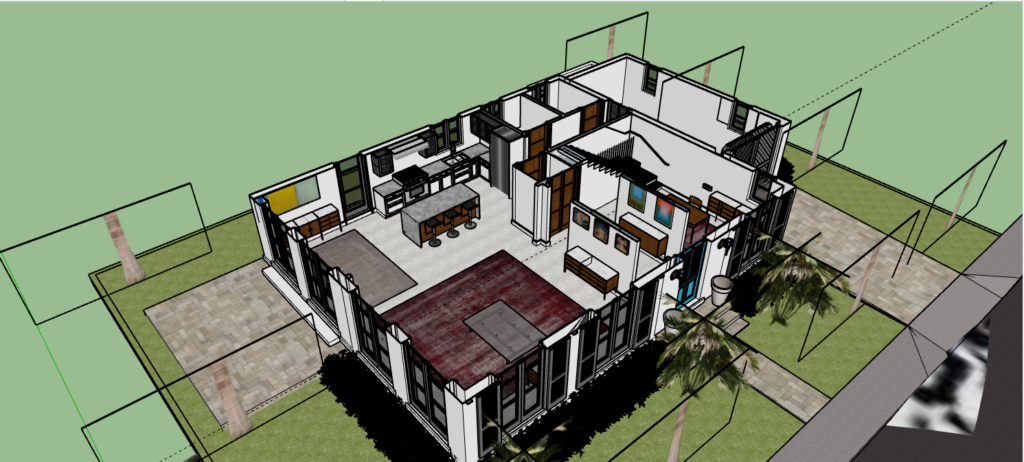
Point cloud to CAD is different from Scan-to-BIM. The former generally focuses on 2D drawing representation; the latter builds modeled building objects. Your design team can tell us which workflow fits its next task.
PROJECT OUTPUTS
What should you expect to receive?
Request the exact drawings and revisions you need, including title block standards, file format, layers, units and plotted sheets. If you already have a drawing set, identify whether the job is tracing/redrafting, updating selected sheets or producing measured as-built plans.
What to include in your quote request
- Existing CAD files, PDF plans, point clouds or field measurements
- Requested drawing types and detail requirements
- Scale, units, layers and annotation conventions
- DWG version, PDF sheet set and review cycle
COMMON USES
Typical CAD drafting applications
Architectural base plans: provide editable 2D geometry for renovation design.
Tenant improvement documentation: record agreed existing room layouts and dimensions.
Facility maintenance: produce simpler plans for reference and planning.
Consultant exchange: deliver files in familiar DWG and PDF formats.
HOW PROJECTS WORK
A clear scope leads to a more useful deliverable
01. Describe the goal
Explain what the files will be used for and which building areas matter.
02. Confirm inputs
Review available plans, scan data, access needs and source limitations.
03. Agree on outputs
Define deliverable format, model/drawing detail, timing and review scope.
04. Review the result
Check the agreed files against the project scope and note open questions.
LOCAL SERVICE
CAD Drafting for Boca Raton projects
Boca Raton property teams often need dependable drawing files for commercial tenant spaces, offices or home renovation planning. Tell us whether you have current measurements or need a field-capture step so the drawing scope matches the underlying evidence.
FREQUENTLY ASKED QUESTIONS
CAD Drafting FAQs
What is the difference between CAD drafting and 3D modeling?
CAD drafting often produces 2D plans and details, while 3D modeling represents geometry in three dimensions. Some projects need both.
Can I send PDF plans to be converted to DWG?
Often yes, depending on legibility and whether dimensions are trustworthy. Conversion alone does not make old information current.
Can you draft from a point cloud?
A registered point cloud can support measured plans and elevations. The drawing scope determines which geometry is extracted.
Will I receive editable CAD files?
DWG is a common request. Agree on the file format, organization and version before the project begins.
TECHNICAL READING
A reference for your project team
For readers who want software-specific information, here is relevant technical documentation from Autodesk. This is external documentation, not an endorsement or statement of affiliation.
Get the right files for your project
Not sure whether you need a point cloud, an as-built plan or a Revit file? Tell us the project goal and existing information. The right deliverable can be discussed before any work is promised.